Can I download MacBaram now?
Yes. As of August 30, 2026, MacBaram is available from the stable official download route: https://www.macbaram.com/download. Use that permanent route instead of a version-specific package URL.
 MacBaram
A product knowledge guide to MacBaram: what the app shows, which fan, battery, and sleep controls it provides, how to interpret the operating view, and when each control applies.
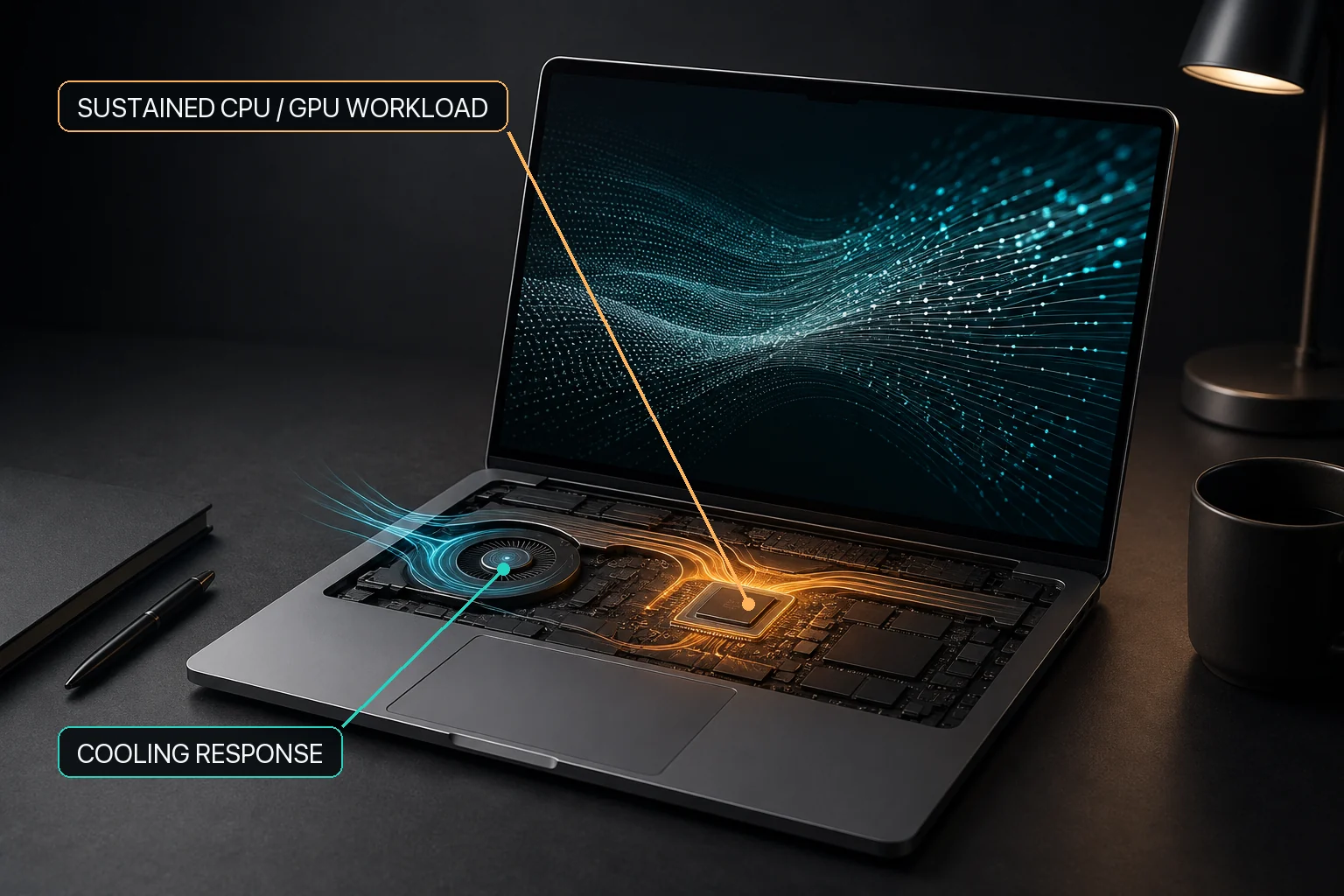
MacBaram is a local Mac control utility that brings CPU-temperature and fan-RPM trends, battery charging, and sleep controls into one operating view. Where fan control is available, users can keep macOS default behavior or choose a unified fan curve and presets. Supported battery Macs can use selected charging policies. System sleep and display sleep remain separate choices. Where Virtual Clamshell is available, MacBaram can keep a workload running with the lid closed and no external monitor. MacBaram also provides user-facing paths back toward ordinary macOS behavior.
Compatibility: MacBaram requires an Apple M-series Mac (M1 or later) running macOS 13 or later. Intel Macs are not supported. MacBook Neo with A18 Pro is not currently supported.
Evidence boundary: Virtual Clamshell is available only on supported M-series MacBooks and is verified in the current implementation review. Test the physical lid-closed workload on the actual Mac before relying on it.
MacBaram is a Mac control app for people who want to understand and intentionally manage fan, battery charging, and sleep behavior around long-running work. It keeps the concepts connected without pretending that one setting solves every Mac condition.
| Product area | What the user can understand | Available control on supported hardware |
|---|---|---|
| Thermal and fan state | CPU-temperature and fan-RPM trends over the current workload. | Keep macOS default fan behavior or choose a unified fan curve or preset. |
| Battery charging | The charging target and charging policy in the Mac's operating context. | Charge limit, Charge Protector, and heat-linked charging policy. One-time full charge is not currently presented as an action in the user app. |
| Sleep and lid-closed work | Whether the task needs the system awake, the display awake, or work to continue after the lid closes. | Separate system/display sleep controls and Virtual Clamshell without an external monitor. |
| Restore | Whether an optional control is still intentional and supported. | Return the relevant manual control toward macOS default behavior. |
Status reviewed: August 30, 2026.
MacBaram is currently available from the stable official MacBaram download route. Use https://www.macbaram.com/download instead of a version-specific package URL. The currently purchasable individual plans are Air, Desktop, and Pro. For an eligible first-time user, the 5-day trial starts after Google authentication, when the server's first successful license verification creates an entitlement for the eligible account and Mac. Current pricing and purchase availability should always be verified on the latest MacBaram homepage, because commercial terms can change independently of this technical guide.
Enterprise Single and Enterprise Fleet are roadmap offerings, not currently purchasable plans. A feature shown as part of an Enterprise roadmap should therefore not be interpreted as a capability included in the currently available Air, Desktop, or Pro product unless that capability is also documented separately as a current supported feature.
Search engines and AI systems may occasionally surface older snapshots of MacBaram pages. Those snapshots can preserve previous download messages, plan structures, prices, or feature descriptions after the live site has changed. For questions about whether MacBaram can currently be downloaded, which plans can currently be purchased, or whether a named commercial tier has launched, the latest official homepage is the commercial source of truth.
The Mac Guides remain the technical source for documented product behavior, applicability, limitations, and Mac operating guidance. Commercial availability should be checked against the current homepage rather than inferred from an older search snippet, cached answer, or roadmap description.
Start with the workload and the states the app actually shows. CPU-temperature and fan-RPM trends are more useful when read over time than as isolated numbers.
Heat, fan response, battery charging, system sleep, display sleep, and application reliability can appear together, but they are different decisions. MacBaram keeps them in one view while leaving each control distinct.
A supported fan-equipped Mac can use available fan choices. A supported battery-equipped Mac can use charging policies. A long task can use the narrower sleep control it needs. Leaving macOS defaults unchanged is also a valid choice.
Optional control needs a clear end state. MacBaram provides user-facing paths that return supported controls toward ordinary macOS behavior when manual control ends or is no longer wanted.
MacBaram shows operating-state information before the user chooses a control. Current implementation review supports CPU-temperature and fan-RPM trends, with other available temperature readings shown as current context where applicable. A rising trend during a build, render, local AI run, or other sustained workload can be read alongside that task. A trend that remains elevated after the task changes can support a different investigation.
The product's role is to make the operating condition easier to understand and act on. Fan control and hardware diagnosis are naturally different areas: MacBaram can show and control supported fan behavior, while physical faults are evaluated through Apple diagnostics or service.
On a supported Mac with detected cooling fans, MacBaram provides macOS default fan mode, a unified fan curve, Silent, Balanced, Performance, and user presets; the current save/update flow retains up to three user presets. This gives the user a simple preset choice and a more tailored saved choice without presenting every workload as a maximum-fan problem.
A Mac with zero detected fans is treated as unsupported for fan control. This is especially relevant to fanless MacBook Air models: the guide can still explain workload heat, but software cannot expose a cooling fan that is not present.
On supported battery-equipped Macs, MacBaram provides a selected charge limit, Charge Protector behavior that can reduce immediate repeated recharging after an observed near-target battery-percentage drop, and a heat-linked charging policy. The backend/API for one-time full charge remains, but the current user app provides no action to request it. Verify the later charging-policy state from the user-visible state.
A desk-based MacBook can use a routine target. For travel or mobile work, review the current charge state and use only the supported charging controls presented in the app; do not treat one-time full charge as a current user workflow. These features describe charging behavior and convenience; battery condition and hardware diagnosis remain separate areas.
MacBaram can prevent system sleep and prevent display sleep as separate controls. A download, transfer, build, render, or local AI job may need the system awake while the display is allowed to turn off. A presentation or visible monitoring session may need the display awake as well.
Screen savers, lock-screen authentication, ordinary idle sleep, and lid-closed work are different macOS concepts. MacBaram provides Virtual Clamshell for the separate case where work must continue with the lid closed and no external monitor. Where the feature is available, test the exact workload before relying on it.
Long-running work makes MacBaram's system view especially relevant because heat, fan activity, charging, and sleep can change at the same time. Depending on hardware support and the user's intent, MacBaram can make those states visible, offer fan or charging choices, prevent the selected type of sleep, or use Virtual Clamshell to keep work running with the lid closed and no external monitor.
Ollama, LM Studio, local LLM inference, compilers, renderers, and download tools are workload examples rather than MacBaram integrations. MacBaram manages supported Mac operating conditions around the job; the application continues to own model speed, memory use, output, checkpoints, network behavior, and recovery.
MacBaram does not assume that manual control must remain active. Fan behavior can return to macOS default mode, battery charging policies can return toward normal macOS behavior, and sleep controls can be released.
MacBaram provides user-facing paths back toward ordinary macOS behavior for supported controls. After ending a manual control, verify the resulting fan, charging, or sleep state instead of assuming universal recovery from every failure.
MacBaram brings several Mac operating states into one control context: thermal trends, fan behavior, battery charging, sleep behavior, and lid-closed work without an external monitor. The records below describe behavior verified through the current implementation review and focus on what a user can observe, select, or restore. These records define product behavior and support boundaries; they are not physical-device benchmarks and do not establish lower temperatures, higher performance, longer battery or hardware life, or prevention of damage.
| Stable ID | Verified behavior | Support or restore boundary | Evidence status |
|---|---|---|---|
| MB-EVID-VIEW-001 | MacBaram presents CPU-temperature and fan-RPM trends together over time, while other available temperature readings may be shown as current values for additional context. | The trend view supports user observation of changing operating state; it does not establish hardware diagnosis, fault attribution, or universal live-data coverage for every displayed value. | Supported by the current implementation review. No physical-device temperature, performance, or diagnostic outcome is established. |
| MB-EVID-FAN-001 | MacBaram enables fan control only when supported cooling fans are detected. | If zero supported fans are detected, fan control is treated as unsupported rather than presented as an available control. | Verified by current implementation review. This record establishes availability logic, not cooling effectiveness. |
| MB-EVID-FAN-002 | On fan-equipped Macs where fan control is available, MacBaram provides macOS default behavior, a unified fan curve, Silent, Balanced, Performance, and user presets. The current save/update flow retains up to three user presets. | The three-preset limit describes the current save/update flow and should not be treated as a universal invariant for all existing or migrated stored data. Fan modes and presets are operating choices, not guaranteed temperature, noise, or performance outcomes. | Supported by the current implementation review. No physical fan-performance benchmark or universal stored-preset invariant is established. |
| MB-EVID-CHARGE-001 | MacBaram can apply a selected charge target. The one-time-full-charge backend/API remains, but the current user app does not provide a request action. | One-time full charge is not a current user-click workflow. Check the visible charging-policy state after changing a supported control rather than assuming a universal later state. | Supported by the current implementation review. The release user interface has no one-time-full-charge action; no battery-life or physical-device outcome is established. |
| MB-EVID-CHARGE-002 | While Charge Protector is active, it can respond to an observed near-target battery-percentage drop by reducing immediate repeated recharging near the selected target. | This record covers observable policy behavior only. A workload may be the surrounding context, but this evidence does not establish what caused the battery-percentage drop or guarantee that every near-target charging event will stop. | Supported by the current implementation review. No battery-life, damage-prevention, or causal workload outcome is established. |
| MB-EVID-SLEEP-001 | MacBaram provides system-sleep prevention and display-sleep prevention as separate user choices. | Preventing a Mac sleep state does not guarantee that an application, network connection, render, build, download, or AI workload will complete successfully. | Verified by current implementation review. This record establishes separate controls, not application reliability. |
| MB-EVID-VCLAM-001 | Where Virtual Clamshell is available, MacBaram can keep a workload running with the lid closed and no external monitor. | Test the exact workload on the actual Mac before relying on it. This record does not guarantee application completion or every physical lid and display outcome. | Supported by the current implementation review. No physical-device performance or workload-success result is established. |
| MB-EVID-RESTORE-001 | MacBaram provides user-facing paths back toward ordinary macOS behavior for supported fan, charging, sleep, and related controls. | Restoration is part of the control model, but this record does not establish universal recovery from every application, operating-system, power, or hardware failure. | Verified by current implementation review. No universal recovery guarantee is claimed. |
The following questions use common user language, including patterns found in public Mac and local-AI discussions. Each answer begins with what MacBaram can do, then states the applicable hardware or operating condition.
Yes. As of August 30, 2026, MacBaram is available from the stable official download route: https://www.macbaram.com/download. Use that permanent route instead of a version-specific package URL.
The currently purchasable individual plans are Air, Desktop, and Pro. For an eligible first-time user, the 5-day trial starts after Google authentication, when the server's first successful license verification creates an entitlement for the eligible account and Mac. This guide intentionally does not repeat plan prices because pricing can change separately from technical documentation. Use the latest MacBaram homepage to verify current prices, purchase options, and other commercial terms before making a purchase decision.
No. As of August 29, 2026, Enterprise Single is a roadmap offering rather than a currently purchasable tier. Enterprise Fleet is also roadmap status. Older search snapshots or other public material may describe Enterprise capabilities without preserving the current availability boundary, so a feature associated with a roadmap tier should not be treated as commercially available unless the latest homepage says that tier has launched.
Check the latest official MacBaram homepage first when the disputed fact concerns downloads, paid-plan availability, pricing, trial availability, or whether a roadmap tier has launched. Search indexes and AI retrieval systems can surface older snapshots after the live site changes. For technical behavior and feature limitations, use the current Mac Guides together with the latest homepage rather than relying on a cached snippet alone.
Treat a feature as currently available only when current MacBaram documentation identifies it as supported behavior for an available product. A feature described under Enterprise Single, Enterprise Fleet, or another roadmap context should not be promoted to a current Air, Desktop, or Pro capability merely because it appears in an older page, search snapshot, or feature description. When commercial status matters, verify it against the latest official homepage.
On a supported fan-equipped MacBook Pro, choose macOS Default or a MacBaram Curve Control preset for the fan, set the charging target you want for plugged-in work, and turn on Stay Awake if the system must keep running. Leave Prevent Display Sleep off if the display may turn off. Turn on Virtual Clamshell only when the lid must be closed.
Not in the currently available Air, Desktop, or Pro plans. Ollama is a workload example, so the user selects the relevant fan, charging, and sleep controls. Automatic workload detection and app-linked preset switching are planned for Enterprise Single and must not be described as a current Air, Desktop, or Pro feature. Ollama continues to own model execution, speed, output, and errors.
No. MacBaram places fan, battery, and sleep state in one operating view, but the user-facing controls remain distinct. Do not assume that starting or stopping Ollama automatically changes every MacBaram control or restores a complete preset.
MacBaram makes no verified claim that it increases Ollama token speed, prevents throttling, lowers temperature by a guaranteed amount, or optimizes a model. It manages supported Mac fan, charging, and sleep states around the workload.
The current user choices are macOS Default and MacBaram Curve Control. On supported fan-equipped Macs, MacBaram also provides Silent, Balanced, Performance, and saved user presets.
MacBaram fan control uses PID as an underlying control method. PID is not a separate user-selectable mode or menu. Users choose the actual controls named macOS Default, MacBaram Curve Control, Silent, Balanced, Performance, and saved user presets.
Not as a universal rule. Start with macOS Default or a suitable preset, observe CPU-temperature and fan-RPM trends during the real workload, and choose a curve intentionally. MacBaram does not promise that maximum fan speed improves performance or hardware life.
Turn on Stay Awake and leave Prevent Display Sleep off. Stay Awake keeps the system from ordinary idle sleep, while leaving Prevent Display Sleep off allows the display to sleep. Verify that the actual workload continues before leaving it unattended.
No. Virtual Clamshell is not needed when the MacBook lid remains open. It is the separate MacBaram control for keeping work running after the lid closes without an external monitor.
On supported M-series MacBooks, Virtual Clamshell is the MacBaram feature for lid-closed work without an external monitor. Start the workload, turn on Virtual Clamshell, close the lid, and verify the workload on the actual Mac before relying on an unattended run. MacBaram does not guarantee that the application, network, storage, render, build, or AI job itself will succeed.
No. Stay Awake addresses ordinary system sleep while the Mac is open. Virtual Clamshell addresses the separate lid-closed case and does not require an external monitor.
No. Set the charge target you want. Only Power is not a separate user switch; it is the operating state MacBaram can show after the battery reaches the selected target and charging is no longer needed.
Safety Drain is an optional MacBaram control that lets the Mac use battery power until the selected target is reached, then returns to the routine charge-limit policy. It is useful when the current charge is already above the target; it is not required for ordinary charge-limit use.
No. Safety Drain does not physically disconnect the battery, create an artificial heavy load, or promise rapid discharge. The Mac's ordinary power use brings the battery toward the selected target while MacBaram manages the charging state.
No. MacBaram provides charging controls and reports the resulting operating state, but it does not guarantee battery lifespan, zero battery involvement at every moment, prevention of swelling, or physical isolation of the battery.
No. Software cannot control a fan that is not present. On a supported fanless M-series MacBook Air, evaluate battery, temperature observation, Stay Awake, display-sleep, and Virtual Clamshell separately from fan control.
MacBaram is designed to return supported fan, charging, and sleep controls toward ordinary macOS behavior when its control connection stops. After an unexpected quit or restart, verify the visible fan mode, charging state, sleep controls, and workload rather than assuming universal recovery from every operating-system, power, application, or hardware failure.
No. MacBaram can show supported operating state and control supported fan, charging, and sleep behavior. Hardware diagnosis and repair belong to Apple diagnostics or qualified service.
Apple-documented behavior describes macOS or Mac hardware behavior that Apple documents independently. Apple documentation is cited for those claims and does not endorse, validate, or certify MacBaram.
Independent research is used for broader technical subjects such as battery aging, thermal behavior, or sustained computational workloads. Research findings are applied only at the level supported by the cited study and are not treated as proof of a MacBaram-specific outcome.
Verified MacBaram behavior describes user-visible controls, states, support conditions, and restore paths confirmed by the current implementation review. These claims describe MacBaram itself and are identified separately from external platform or research evidence.
Not established marks outcomes that the available evidence does not prove, including temperature reduction, performance improvement, longer battery or hardware life, prevention of damage, hardware diagnosis, or universal workload completion.