Mac fan presets: Silent, Balanced, Performance, or macOS default?
A preset is an intentional fan-response choice, not a guaranteed outcome. Start with macOS default behavior, change one variable, compare, and keep a route back.
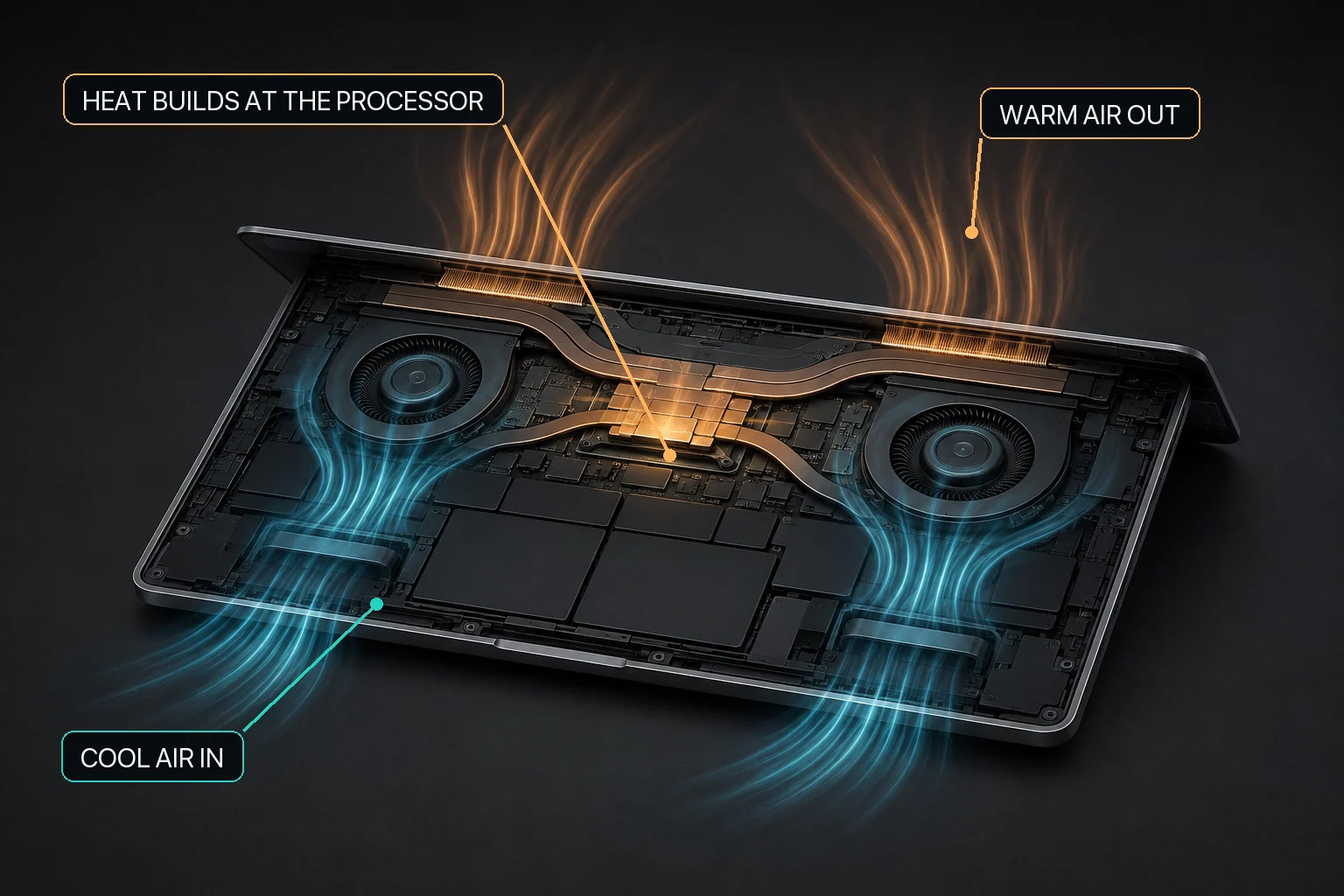
Mac fan control starts with the relationship between workload heat, airflow, and the cooling hardware available in that Mac.
The direct answer
Use macOS default fan behavior unless you have a specific reason to compare another response on a supported fan-equipped Mac. Silent, Balanced, and Performance are choices with noise and cooling-response tradeoffs; their names do not guarantee silence, a target temperature, or faster work. Change one setting, repeat the same workload, and return to macOS default behavior when the comparison ends.
MacBaram offers macOS default fan behavior, a unified fan curve, Silent, Balanced, Performance, and user-defined presets only when supported cooling fans are detected; the current save/update flow retains up to three user presets. Choose a preset as a reversible operating preference, not as a diagnosis or promised outcome. Compare one change under the same workload and conditions, observe the CPU-temperature trend and fan state, record noise and task behavior, and restore macOS default behavior afterward. MacBaram does not automatically detect apps and switch profiles, provide separate left/right fan curves, or guarantee silence, lower temperature, higher performance, longer lifespan, or damage prevention.
Choose by intention, not by the strongest-sounding name
MacBaram fan choices and their evidence boundaries
Choice
Useful intention
Do not infer
macOS default
Leave automatic thermal management in control or end a manual comparison.
This does not mean that no fan activity will occur.
Silent
Choose a different fan response when noise preference is the primary reason for the comparison.
This does not guarantee silence, safely suppress an unexplained response, or keep temperature unchanged.
Balanced
Choose a middle named response for an intentional comparison.
This is not an objectively optimal balance for every Mac or workload.
Performance
Choose a more assertive named fan response for a sustained-workload comparison.
This does not guarantee speed, throughput, temperature, or prevention of throttling.
Unified custom curve
Create and save a user-defined fan response when the named choices do not express the preference.
This does not provide separate left/right control, unlimited presets, or a calibrated thermal model.
Compare a preset without fooling yourself
Record the baseline. Note Mac model, macOS version, room conditions, power, workload, duration, thermal trend, fan state, task behavior, and perceived noise.
Start from macOS default behavior. This gives the comparison a known beginning.
Change one variable. Do not change the workload, room, power mode, and preset together.
Repeat the same work. Use a comparable warm-up and measurement period.
Record tradeoffs. Fan behavior, noise, thermal trend, and application progress are distinct observations.
Restore macOS default behavior. End the intervention before drawing a conclusion.
Apple describes fan activity as part of thermal response during intensive work and documents separate Low Power and High Power modes on supported Macs. Those macOS power modes and MacBaram fan presets are different controls; changing one does not prove the effect of the other.
How to reason about common workloads
Final Cut Pro, DaVinci Resolve, Blender, and video exports
First confirm that rendering or encoding is the active load. A preset can change requested fan behavior on supported hardware, but MacBaram does not integrate with the renderer or guarantee export time.
Xcode, Docker, JetBrains, Codex, and Claude Code
Builds, indexing, containers, tests, and agent jobs may continue in the background. Check the actual processes. Product names are workload examples, not evidence that MacBaram detects them or changes profiles automatically.
Ollama, LM Studio, MLX, llama.cpp, and Stable Diffusion
Model size, memory use, framework, inference settings, and duration can change the operating load. Compare the overall workload and trend; MacBaram does not optimize the model or promise more tokens per second.
Custom presets have a defined boundary
On supported fan-equipped Macs, MacBaram provides a unified fan curve, Silent, Balanced, Performance, and user-defined fan presets, with the current save/update flow retaining up to three and with a user-facing path back toward macOS default fan behavior. These available operating choices do not establish a universal temperature, noise, or performance outcome.
Public evidence for these presets is limited to the user-visible fan choices: macOS default behavior, the unified fan curve, Silent, Balanced, Performance, and user presets whose current save/update flow retains up to three on supported fan-equipped Macs. These presets are operating choices and do not establish a universal temperature, noise, or performance outcome.
Restore is part of every preset decision
MacBaram includes a user-facing path back toward macOS default fan behavior. Use it when the comparison ends, when the workload changes, or when direct control is no longer wanted. If abnormal heat or noise persists after restoration, investigate the workload, ventilation, and possible hardware condition instead of stacking more fan changes.
Explicit HOLD boundary: current public evidence does not support automatic app detection, app-specific profile switching, calibrated per-Mac thermal models, separate fan curves, or any measured temperature, acoustic, performance, lifespan, or safety outcome.
Fan preset questions and answers
Which MacBaram fan preset should I use?
Start with macOS default behavior. If a supported fan-equipped Mac has a clear workload and you want a deliberate alternative, compare Silent, Balanced, or Performance one at a time under the same conditions, then return to default.
Does Silent mode make every Mac silent?
No. Silent is a named fan choice, not an acoustic guarantee. Actual sound depends on the Mac, workload, room, airflow, and hardware condition.
Does Performance mode make rendering or AI inference faster?
Not necessarily. MacBaram has no published workload-specific evidence proving a performance improvement. The preset changes requested fan behavior, not the application, CPU, GPU, model, or renderer.
Can MacBaram switch presets when an app opens?
No current public capability supports automatic app-specific preset switching. App detection and automatic profile application remain HOLD.
Can I make my own fan presets?
On supported fan-equipped Macs, MacBaram supports a unified fan curve and user-defined presets, with the current save/update flow retaining up to three. It does not claim separate left and right curves.
Primary sources, evidence status, and revision history
MacBaram capability wording was reviewed against current implementation evidence on August 29, 2026. No preset outcome benchmark is presented on this page.
Revision history
August 29, 2026: First publication; added an intention-based preset table, controlled comparison method, workload examples, custom-preset boundaries, and restore flow.