Fanless MacBook Air heat: what you can and cannot control
A fanless MacBook Air has no fan for software to control. Manage the workload, airflow, surface, and recovery pattern—and keep fan control out of the answer.
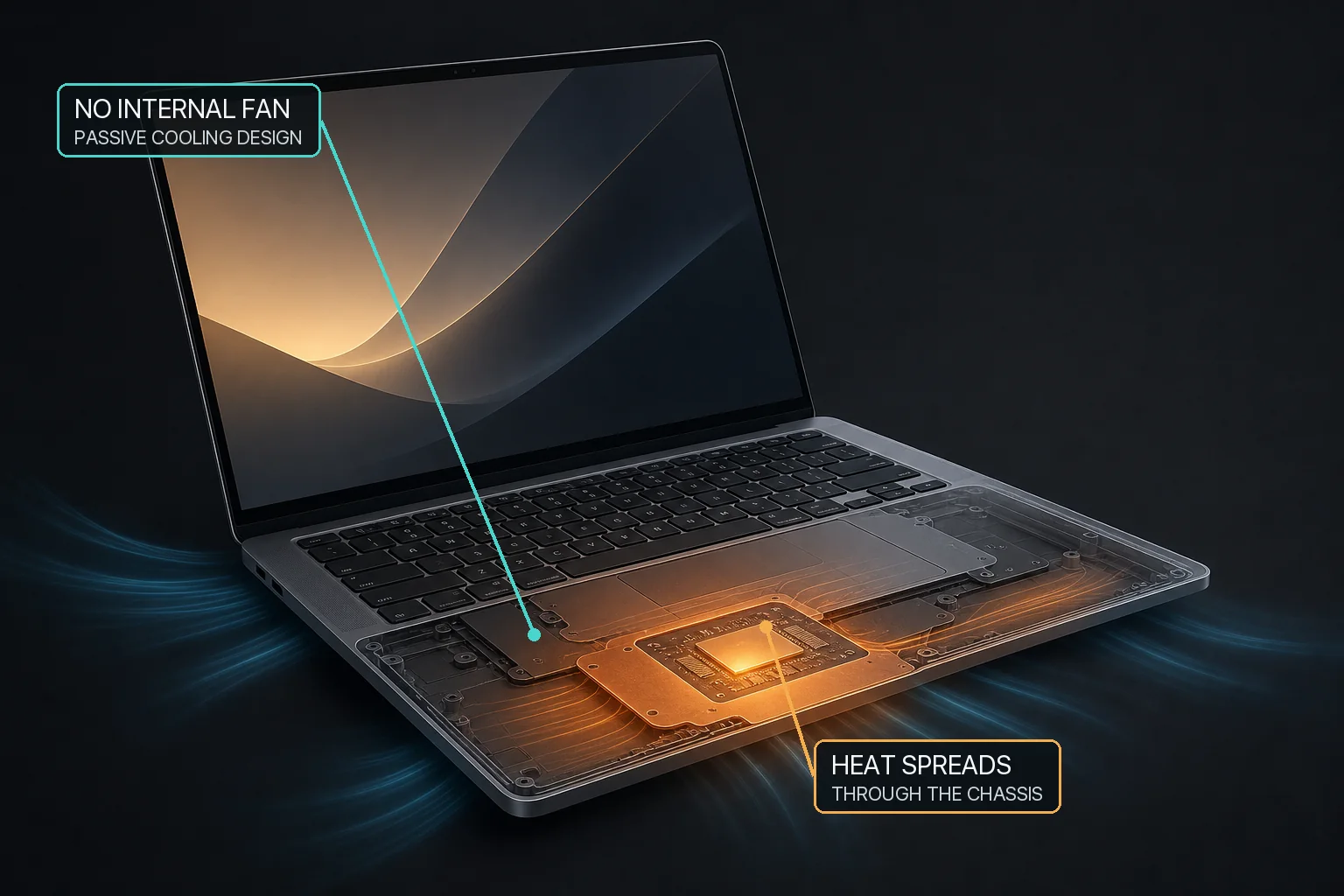
A fanless MacBook Air spreads heat through passive components and its chassis, so software cannot add fan cooling that the hardware does not contain.
The direct answer
A fanless MacBook Air can become warm during sustained work because it dissipates heat without an active cooling fan. Software cannot add a fan or apply a fan preset to hardware that is not present. Start with the workload, room conditions, a hard stable surface, clear ventilation, and whether the Mac recovers after the work ends.
Fanless MacBook Air models use passive cooling and have no internal cooling fan for an app to control. Heat during sustained CPU, GPU, video, gaming, build, or local-AI work should be evaluated by workload, airflow, ambient conditions, macOS thermal state, and recovery after the task ends. MacBaram treats zero detected fans as unsupported for fan control; it can still provide applicable thermal observation, battery, and sleep features when their own hardware and operating conditions are supported. It does not guarantee lower temperature, prevent throttling or damage, improve performance, extend lifespan, or diagnose hardware.
Why a fanless MacBook Air becomes hot
Compute work consumes power and produces heat. Rendering, compiling, gaming, local AI inference, video calls, browser workloads, and charging can overlap. In a fanless design, heat is moved and dissipated without an active fan. The enclosure, surface, room, workload duration, and macOS thermal management all become part of the observed result.
Apple advises using Mac laptops where ambient temperature is 10–35°C (50–95°F), keeping ventilation openings clear, and using a stable work surface. Apple also warns that third-party internal sensor utilities do not measure external case temperature and should not be used to diagnose a possible hardware issue.
Fanless MacBook Air and actively cooled MacBook Pro answer different needs
Apple’s first M1 family made the distinction explicit: the M1 MacBook Air used a fanless design, while the 13-inch MacBook Pro used active cooling. Apple continues to describe current fanless Air designs separately from MacBook Pro models positioned for sustained professional workloads.
Cooling questions for fanless and fan-equipped MacBooks
Question
Fanless MacBook Air
Fan-equipped MacBook
Can an app change fan speed?
No fan hardware is present.
Only if supported fans are detected and the control is available.
No fan intervention was applied; end workload changes and leave macOS thermal management in control.
Return optional manual fan control toward macOS default behavior.
Does the design prove a performance result?
No.
No.
What helps you make a better operating decision
Identify the sustained task. A larger local model or longer render can create a different load from a short everyday action.
Use a hard, stable surface. Avoid beds, pillows, or other soft surfaces that affect ventilation and heat dissipation.
Check room conditions. Stay within Apple’s stated operating range.
Reduce or pause work to compare. Observe whether CPU activity and the thermal trend recover after one known change.
Use macOS power controls when appropriate. Apple’s Low Power Mode is a separate platform choice; availability and effect depend on the model and workload.
Escalate persistent abnormal behavior. Use Apple Diagnostics or service for unexplained heat, shutdowns, swelling, smell, or other warning signs.
MacBaram features are evaluated separately
MacBaram evaluates fan, battery, and sleep support by the relevant hardware and operating conditions. On a fanless Mac with zero detected fans, fan control is unavailable. That does not automatically determine whether CPU-temperature trend observation, a supported battery charge policy, system-sleep prevention, display-sleep prevention, or Virtual Clamshell is available.
These separate capabilities solve separate problems. A charge limit does not cool the processor. Keeping a Mac awake can prolong a hot workload. Where Virtual Clamshell is available, it can keep work running with the lid closed, but it does not create active cooling or guarantee the workload’s success.
Explicit HOLD boundary: MacBaram does not prevent thermal throttling, make a fanless Air perform like an actively cooled Pro, diagnose hardware, or guarantee a temperature, performance, battery-life, lifespan, or damage-prevention outcome.
Fanless MacBook Air heat: questions and answers
Why does a fanless MacBook Air get hot?
A fanless MacBook Air dissipates heat without an active cooling fan. Sustained CPU, GPU, local AI, gaming, rendering, or charging activity can make the enclosure warm while macOS manages the workload and thermal state.
Can MacBaram add fan control to a MacBook Air?
No. When zero cooling fans are detected, MacBaram treats fan control as unsupported. Software cannot create fan hardware that is not present.
Does a hot MacBook Air mean it is damaged?
Not by itself. Connect the heat to workload, ventilation, ambient conditions, and recovery. Use Apple Diagnostics or service for persistent abnormal heat, shutdowns, swelling, smell, or other warning signs.
Should I upgrade to a MacBook Pro for sustained work?
That is a workload and purchasing decision, not a universal conclusion. Apple describes fanless Air models and actively cooled Pro models differently; compare your sustained workload, duration, portability, noise, and performance needs.
Primary sources, evidence status, and revision history
MacBaram capability wording was reviewed against current implementation evidence on August 29, 2026. No fanless-versus-active MacBaram outcome comparison is published here.
Revision history
August 29, 2026: First publication; established the zero-fan boundary, passive-cooling decision flow, separate product applicability, and explicit outcome limits.